
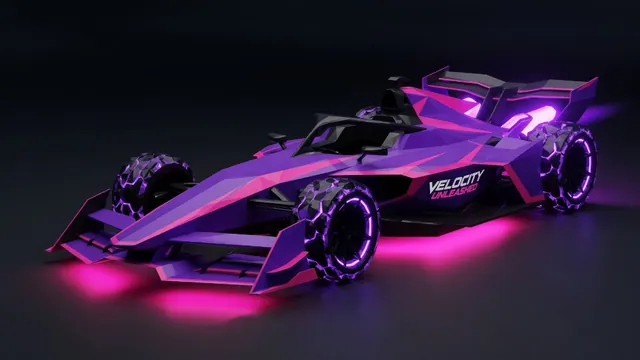
One of the most unique aspects of Velocity Unleashed is our hybrid rendering architecture: SwiftUI on top, SceneKit underneath, Metal at the core. Here's how these layers work together.
The Architecture Stack
┌─────────────────────────────┐
│        SwiftUI Layer        │  Menus, HUD, Pause, Results
├─────────────────────────────┤
│     GameCoordinator         │  Race lifecycle, @Published state
├─────────────────────────────┤
│       SceneKit Layer        │  3D scene graph, cameras, lights
├─────────────────────────────┤
│     GameWorld (Physics)     │  240Hz simulation, AI, dynamics
├─────────────────────────────┤
│        Metal Layer          │  Custom shaders, post-processing
└─────────────────────────────┘
SwiftUI ↔ SceneKit Bridge
The GameCoordinator is our bridge class — an ObservableObject that exposes @Published properties to SwiftUI while managing the SceneKit render loop:
- UI → Game: Touch inputs flow from SwiftUI gesture recognizers through `SteeringInput` to `VehicleDynamics`
- Game → UI: Speed, lap times, position, and nitro state are published on the main queue for SwiftUI to reactively render
- Threading: SceneKit's `update` callback runs off the main thread, so all `@Published` updates are dispatched to `DispatchQueue.main`
Model Loading Pipeline
We support multiple 3D formats with automatic fallback:
- 1USDZ (preferred) — Apple's optimized format
- 2SCN — SceneKit's native format
- 3DAE — Collada interchange format
- 4OBJ — Legacy mesh format
- 5Procedural fallback — Generated geometry if no model file is found
Metal Shaders
- Our custom Metal shaders handle:
- Dynamic environment reflections on car body panels
- Neon glow effects for underglow and wheel rim lighting
- Speed lines — radial blur that intensifies with velocity
- Weather particles — rain drops and dust for atmospheric tracks
Performance Budget
- On iPhone 15 Pro, our typical frame looks like:
- SceneKit render: ~8ms (including shadows and reflections)
- Metal post-processing: ~2ms
- SwiftUI overlay: ~1ms
- Total: ~11ms = comfortable 60 FPS headroom
The key insight is that SwiftUI's declarative rendering is essentially free when overlaid on a SceneKit view — it only redraws when @Published state changes.